Segmented Control Card
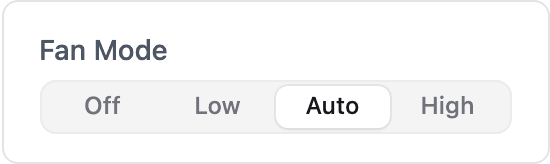
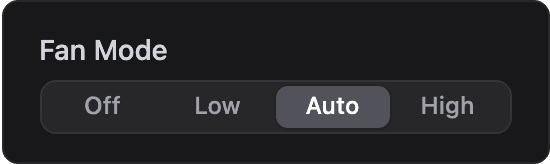
Pick one of a few options from a row of buttons and receive the selection on the device using dash::SegmentedControlCard.
ESP-DASH Pro feature. This functionality is available only in the commercial edition of ESP-DASH.The segmented control card shows a small set of options as a row of buttons, with the selected one highlighted. Use it for modes such as Off/Auto/On, speed levels or presets, where all options should be visible at once. For longer lists, use the Dropdown Card.
Constructor
dash::SegmentedControlCard<T, Precision> card(dashboard, name, options);Prop
Type
Template parameters:
Prop
Type
// String values (default)
dash::SegmentedControlCard fanMode(dashboard, "Fan Mode", "Off,Low,Auto,High");

// Integer values
dash::SegmentedControlCard<int> multiplier(dashboard, "Multiplier", "1,2,4,8");
An overload without the dashboard argument creates the card without attaching it to a dashboard; attach it later with dashboard.add(card).
Callback
void onChange(std::function<void(const T& value)> callback);The callback fires when the user selects an option. value is the selected option converted to T. The card does not update its own value; call setValue() and dashboard.sendUpdates() inside the callback to confirm the selection on the dashboard.
fanMode.onChange([](const dash::string& value) {
  fanMode.setValue(value);
  dashboard.sendUpdates();
});
Methods
The segmented control card has the same methods as the Dropdown Card.
setOptions()
bool setOptions(const char* options);Replaces the list of options with a comma-separated string. Returns true if the options changed.
options()
const char* options() const;Returns the current comma-separated list of options.
setValue()
bool setValue(T value);Selects an option. value should match one of the options; if it does not, no option is highlighted. Returns true if the value changed.
value()
const T& value() const;Returns the currently selected value.
Example
#include <Arduino.h>
#include <WiFi.h>
#include <AsyncTCP.h>
#include <ESPAsyncWebServer.h>
#include <ESPDashPro.h>

AsyncWebServer server(80);
ESPDash dashboard(server);

dash::SegmentedControlCard fanMode(dashboard, "Fan Mode", "Off,Low,Auto,High");

void setup() {
  Serial.begin(115200);
  // ... connect to WiFi

  fanMode.setValue("Auto");
  fanMode.onChange([](const dash::string& value) {
    Serial.printf("Fan mode: %s\n", value.c_str());
    fanMode.setValue(value);
    dashboard.sendUpdates();
  });

  server.begin();
}

void loop() {
  // ...
}
Notes
- Two to five short options fit a default-width card. Long labels are truncated and shown in full on hover.
- Users can move between options with the left and right arrow keys.
- Prefer
dash::stringoverconst char*forT. Aconst char*value received in the callback points into the incoming message and is not valid after the callback returns. - The card stores the
optionspointer and does not copy the string. Pass a string literal or a buffer that remains valid for the lifetime of the card.