Progress Card
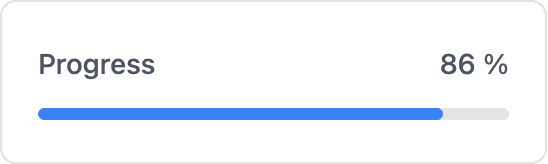
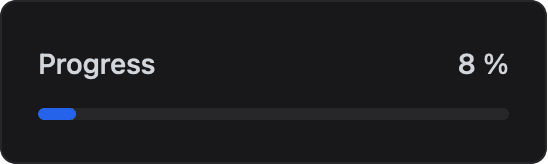
Display a value as a progress bar within a minimum and maximum range using dash::ProgressCard.
The progress card displays a value as a horizontal bar between a minimum and a maximum. Use it for fill levels, battery charge, task progress or any bounded quantity.
Constructor
dash::ProgressCard<T, Precision> card(dashboard, name, minValue, maxValue, unit);Prop
Type
Template parameters:
Prop
Type
dash::ProgressCard progress(dashboard, "Progress", 0, 100, "%");       // int
dash::ProgressCard<float, 4> load(dashboard, "Load", 0, 1, "kWh");
An overload without the dashboard argument creates the card without attaching it to a dashboard; attach it later with dashboard.add(card).
Methods
setValue()
bool setValue(const T& value);Sets the value. Values below min() or above max() are clamped to the nearest bound. Returns true if the stored value changed.
value()
const T& value() const;Returns the current value. Call it only when hasValue() returns true.
hasValue()
bool hasValue() const;Returns true if a value has been set.
removeValue()
bool removeValue();Clears the value. The dashboard then shows 0. Returns true if a value was removed.
setMin()
bool setMin(T minValue);Sets the lower bound. If the current value is below the new bound, it is raised to the bound. Returns true if the bound changed.
setMax()
bool setMax(T maxValue);Sets the upper bound. If the current value is above the new bound, it is lowered to the bound. Returns true if the bound changed.
min() and max()
T min() const;
T max() const;
Return the current lower and upper bounds.
setUnit()
bool setUnit(const char* unit);Sets the unit displayed next to the value. Returns true if the unit changed.
unit()
const char* unit() const;Returns the current unit.
Example
#include <Arduino.h>
#include <WiFi.h>              // ESP32; use the networking headers for your board
#include <AsyncTCP.h>
#include <ESPAsyncWebServer.h>
#include <ESPDash.h>

AsyncWebServer server(80);
ESPDash dashboard(server);

dash::ProgressCard<int> tankLevel(dashboard, "Tank level", 0, 100, "%");

void setup() {
  // ... connect to Wi-Fi
  server.begin();
}

void loop() {
  int level = random(0, 101); // replace with a sensor reading
  tankLevel.setValue(level);
  dashboard.sendUpdates();
  delay(3000);
}
Notes
- The card stores the
unitpointer and does not copy the string. Pass a string literal or a buffer that outlives the card.