Slider Card
Let users select a numeric value within a range from the dashboard using dash::SliderCard.
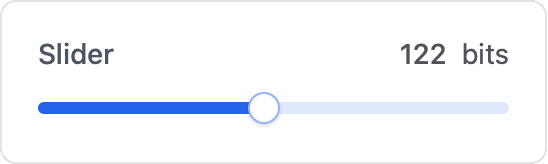
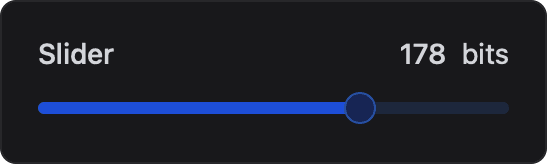
The slider card lets the user select a numeric value by dragging a handle along a range with a fixed step. Use it to control brightness, speed, set points or any other bounded setting.
Constructor
dash::SliderCard<T, Precision> card(dashboard, name, minValue, maxValue, step, unit);Prop
Type
Template parameters:
Prop
Type
dash::SliderCard slider(dashboard, "Slider", 0, 255);                          // int, step 1
dash::SliderCard<int> volume(dashboard, "Volume", 0, 100, 1, "%");
dash::SliderCard<float, 2> voltage(dashboard, "Voltage", 0.0f, 1.0f, 0.01f, "V");
An overload without the dashboard argument creates the card without attaching it to a dashboard; attach it later with dashboard.add(card).
Percentage slider
dash::PercentageSliderCard<T> is a preconfigured slider with a range of 0 to 100, a step of 1 and the unit "%". T defaults to uint8_t.
dash::PercentageSliderCard brightness(dashboard, "Brightness"); // uint8_t, 0–100 %It accepts only dashboard and name and provides the same callback and methods as dash::SliderCard.
Callback
void onChange(std::function<void(T value)> callback);The callback fires when the user moves the slider on the dashboard. value is the selected value, of the card's type T.
The card does not update its own value when the callback fires. Call setValue(value) and then dashboard.sendUpdates() inside the callback to confirm the new value on the dashboard.
dash::SliderCard<int> volume(dashboard, "Volume", 0, 100, 1, "%");

// in setup()
volume.onChange([](int value) {
  Serial.printf("Volume: %d\n", value);
  volume.setValue(value);
  dashboard.sendUpdates();
});
Methods
setValue()
bool setValue(const T& value);Sets the slider position. Values below min() or above max() are clamped to the nearest bound. Returns true if the stored value changed.
value()
const T& value() const;Returns the current value. Call it only when hasValue() returns true.
hasValue()
bool hasValue() const;Returns true if a value has been set.
setMin()
bool setMin(T minValue);Sets the lower bound. If the current value is below the new bound, it is raised to the bound. Returns true if the bound changed.
setMax()
bool setMax(T maxValue);Sets the upper bound. If the current value is above the new bound, it is lowered to the bound. Returns true if the bound changed.
setStep()
bool setStep(T step);Sets the increment between selectable values. Returns true if the step changed.
min(), max() and step()
T min() const;
T max() const;
T step() const;
Return the current lower bound, upper bound and step.
setUnit()
bool setUnit(const char* unit);Sets the unit displayed next to the value. Returns true if the unit changed.
unit()
const char* unit() const;Returns the current unit.
Example
#include <Arduino.h>
#include <WiFi.h>              // ESP32; use the networking headers for your board
#include <AsyncTCP.h>
#include <ESPAsyncWebServer.h>
#include <ESPDash.h>

AsyncWebServer server(80);
ESPDash dashboard(server);

dash::SliderCard<int> brightness(dashboard, "Brightness", 0, 255, 5);

void setup() {
  Serial.begin(115200);
  // ... connect to Wi-Fi

  brightness.onChange([](int value) {
    Serial.printf("Brightness: %d\n", value);
    // apply the value, for example with analogWrite()
    brightness.setValue(value);
    dashboard.sendUpdates();
  });

  brightness.setValue(128);
  server.begin();
}

void loop() {
  // ...
}
Notes
- The card stores the
unitpointer and does not copy the string. Pass a string literal or a buffer that outlives the card. - For floating-point sliders, choose a
Precisionthat can representstep, for examplePrecision = 2for a step of0.01. dash::PercentageSliderCarddeclares aPrecisiontemplate parameter but does not pass it todash::SliderCard; values are always sent with the default precision of 2.