Time Sync Card
Set the device clock from the browser's current time with one click, optionally applying a timezone.
ESP-DASH Pro feature. This functionality is available only in the commercial edition of ESP-DASH.The time sync card sets the device's system clock from the browser's current time when the user presses its button. Use it on devices that have no internet access for NTP, or to correct the clock without additional hardware.
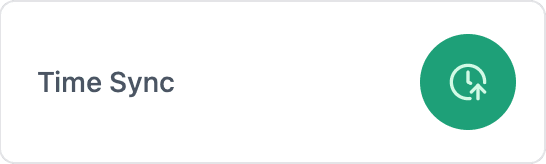
Constructor
dash::TimeSyncCard(ESPDash& dashboard, const char* name, const char* tzSpec = "");Prop
Type
dash::TimeSyncCard timeSync(dashboard, "Time Sync");An overload without the dashboard argument creates the card without attaching it to a dashboard; attach it later with dashboard.add(card).
How synchronization works
When the user presses the button, the browser sends its current time as a Unix timestamp in milliseconds. The card then:
- Sets the system clock with
settimeofday(). - If a timezone specification is set, sets the
TZenvironment variable and callstzset(), so thatlocaltime()and related functions return local time. - Calls the registered callback, if any.
The system clock is set even if no callback is registered.
Callback
void onSync(std::function<void(const timeval& tv)> callback);The callback fires after the system clock and timezone have been set. tv contains the time received from the browser; tv.tv_sec holds the seconds since the Unix epoch (UTC). Use it to log the sync, update an RTC or refresh cards that depend on the time. No dashboard update is required for the time sync card itself.
timeSync.onSync([](const timeval& tv) {
  Serial.printf("Time synced: %lld\n", (long long)tv.tv_sec);
});
Methods
setTimezoneSpec()
void setTimezoneSpec(dash::string tzSpec);Sets the POSIX timezone string applied after each sync. The default is an empty string, which leaves the timezone unchanged (UTC unless set elsewhere). For timezone strings, see the tz database time zones and micro-timezonedb.
timeSync.setTimezoneSpec("CET-1CEST,M3.5.0,M10.5.0/3"); // Europe/ParistimezoneSpec()
const dash::string& timezoneSpec() const;Returns the current timezone specification.
Example
#include <Arduino.h>
#include <WiFi.h>
#include <AsyncTCP.h>
#include <ESPAsyncWebServer.h>
#include <ESPDashPro.h>
#include <time.h>

AsyncWebServer server(80);
ESPDash dashboard(server);

dash::TimeSyncCard timeSync(dashboard, "Time Sync", "CET-1CEST,M3.5.0,M10.5.0/3");

void setup() {
  Serial.begin(115200);
  // ... connect to WiFi

  timeSync.onSync([](const timeval& tv) {
    struct tm local;
    localtime_r(&tv.tv_sec, &local);
    Serial.printf("Local time: %02d:%02d:%02d\n", local.tm_hour, local.tm_min, local.tm_sec);
  });

  server.begin();
}

void loop() {
  // ...
}