Indicator Button Card
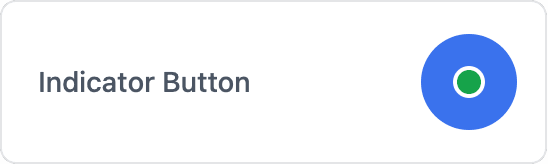
A push button with a built-in status indicator that the device can set to show the result or state of an action.
ESP-DASH Pro feature. This functionality is available only in the commercial edition of ESP-DASH.The indicator button card is a push button with a built-in status indicator. The device controls the indicator independently of the button, so you can use it to report the state of the action the button triggers, for example whether a light is on or whether a process completed successfully.









Constructor
dash::IndicatorButtonCard(ESPDash& dashboard, const char* name);Prop
Type
dash::IndicatorButtonCard indicatorButton(dashboard, "Indicator Button");The indicator is hidden until you set it with setIndicator() or setValue(). The initial status is dash::Status::INFO.
An overload without the dashboard argument creates the card without attaching it to a dashboard; attach it later with dashboard.add(card).
Callback
void onPush(std::function<void()> callback);The callback fires each time the user presses the button. It receives no arguments. Pressing the button does not change the indicator; to reflect a new state, call setIndicator() and dashboard.sendUpdates() inside the callback.
indicatorButton.onPush([]() {
  indicatorButton.setIndicator(true, dash::Status::SUCCESS);
  dashboard.sendUpdates();
});
Methods
setIndicator()
bool setIndicator(bool show, dash::Status status);Shows or hides the indicator and sets its status color. Returns true if the indicator changed.
Prop
Type
indicatorButton.setIndicator(true, dash::Status::WARNING);status()
dash::Status status() const;Returns the current indicator status.
setValue()
bool setValue(bool value);Shows (true) or hides (false) the indicator while keeping the current status. Returns true if the value changed.
value()
const bool& value() const;Returns true if the indicator is shown. Check hasValue() first if the indicator may not have been set yet.
Example
#include <Arduino.h>
#include <WiFi.h>
#include <AsyncTCP.h>
#include <ESPAsyncWebServer.h>
#include <ESPDashPro.h>

AsyncWebServer server(80);
ESPDash dashboard(server);

dash::IndicatorButtonCard lightButton(dashboard, "Light");

const int LIGHT_PIN = 2;
bool lightOn = false;

void setup() {
  Serial.begin(115200);
  pinMode(LIGHT_PIN, OUTPUT);
  // ... connect to WiFi

  lightButton.setIndicator(false, dash::Status::SUCCESS);
  lightButton.onPush([]() {
    lightOn = !lightOn;
    digitalWrite(LIGHT_PIN, lightOn ? HIGH : LOW);
    lightButton.setIndicator(lightOn, dash::Status::SUCCESS);
    dashboard.sendUpdates();
  });

  server.begin();
}

void loop() {
  // ...
}