Time Difference Card
Display the time elapsed since, or remaining until, a timestamp set by the device, relative to the browser's clock.
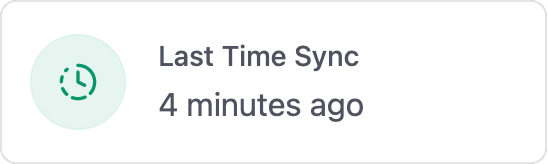
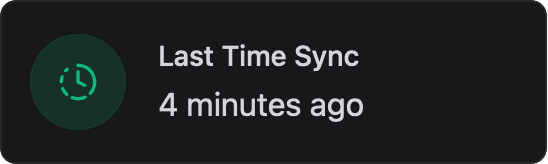
ESP-DASH Pro feature. This functionality is available only in the commercial edition of ESP-DASH.The time difference card displays the difference between a timestamp set by the device and the browser's current time, in a human-readable form such as "5 minutes ago" or "in 2 hours". Use it for values like "last updated", "started" or "next run". The timestamp can be in the past or in the future, and the display refreshes every second in the browser without further updates from the device.
Constructor
template <typename T = dash::string>
dash::TimeDifferenceCard<T>(ESPDash& dashboard, const char* name);
Template parameters
Prop
Type
Parameters
Prop
Type
// Unix timestamp in seconds
dash::TimeDifferenceCard<int> lastUpdate(dashboard, "Last Update");

// Date string
dash::TimeDifferenceCard<dash::string> startedAt(dashboard, "Started");
An overload without the dashboard argument creates the card without attaching it to a dashboard; attach it later with dashboard.add(card).
Methods
setValue()
bool setValue(T value);Sets the reference timestamp. Returns true if the value changed.
- Integral
T: a Unix timestamp (UTC). Values below1e12are interpreted as seconds, larger values as milliseconds. - String
T: a date string that the browser'sDateparser accepts, preferably ISO 8601 in UTC, for example"2025-08-29T18:21:14Z".
lastUpdate.setValue(static_cast<int>(time(nullptr)));
startedAt.setValue("2025-08-29T18:21:14Z");
value()
const T& value() const;Returns the current reference timestamp.
setFormat()
bool setFormat(dash::string format);Sets the display format. Returns true if the format changed.
Prop
Type
lastUpdate.setFormat("full");format()
const dash::string& format() const;Returns the current format ("auto" or "full").
Example
#include <Arduino.h>
#include <WiFi.h>
#include <AsyncTCP.h>
#include <ESPAsyncWebServer.h>
#include <ESPDashPro.h>
#include <time.h>

AsyncWebServer server(80);
ESPDash dashboard(server);

dash::TimeSyncCard timeSync(dashboard, "Time Sync");
dash::TimeDifferenceCard<int> lastSync(dashboard, "Last Time Sync");

void setup() {
  Serial.begin(115200);
  // ... connect to WiFi

  // Show when the clock was last synchronized from the browser
  timeSync.onSync([](const timeval& tv) {
    lastSync.setValue(static_cast<int>(tv.tv_sec));
    dashboard.sendUpdates();
  });

  server.begin();
}

void loop() {
  // ...
}
Notes
- The difference is computed against the browser's clock. The device clock must be set correctly (for example with NTP or the Time Sync Card) for timestamps derived from
time()to be meaningful. - A 32-bit
intcan hold Unix timestamps in seconds but not in milliseconds. Prefer timestamps in seconds.