Dropdown Card
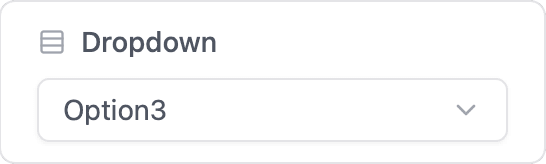
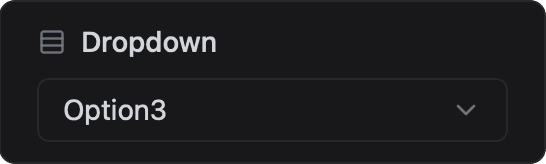
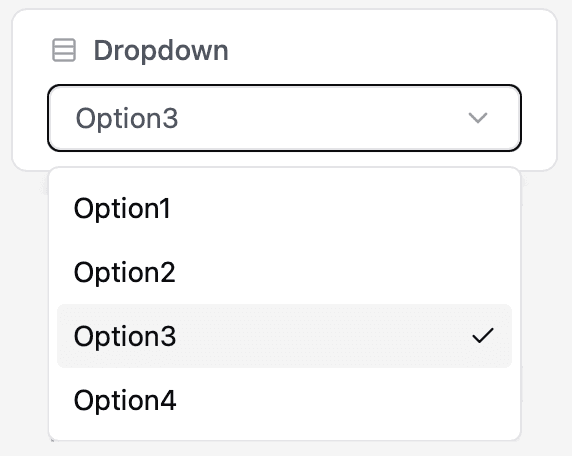
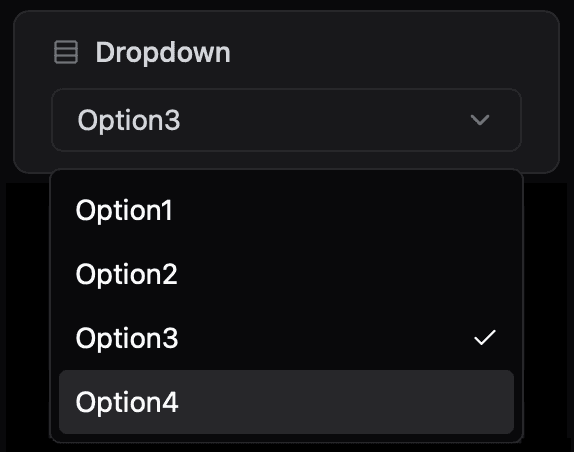
Present a list of predefined options in a dropdown and receive the selected value on the device.
ESP-DASH Pro feature. This functionality is available only in the commercial edition of ESP-DASH.The dropdown card presents a list of options defined as a comma-separated string and reports the selected option back to the device. Use it for mode selection, presets or any setting with a fixed set of values.
Constructor
template <typename T = dash::string, uint8_t Precision = 2>
dash::DropdownCard<T, Precision>(ESPDash& dashboard, const char* name, const char* options = "");
Template parameters
Prop
Type
Parameters
Prop
Type
// String values (default)
dash::DropdownCard<dash::string> dropdown(dashboard, "Mode", "Auto,Manual,Off");

// Float values with 3 decimal places
dash::DropdownCard<float, 3> dropdownFloat(dashboard, "Float Dropdown", "1.234,2.345,3.456");

// Integer values
dash::DropdownCard<int> dropdownInt(dashboard, "Int Dropdown", "1,2,3,4");
An overload without the dashboard argument creates the card without attaching it to a dashboard; attach it later with dashboard.add(card).
Callback
void onChange(std::function<void(const T& value)> callback);The callback fires when the user selects an option. value is the selected option converted to T. The card does not update its own value; call setValue() and dashboard.sendUpdates() inside the callback to confirm the selection on the dashboard.
dropdown.onChange([](const dash::string& value) {
  Serial.printf("Selected: %s\n", value.c_str());
  dropdown.setValue(value);
  dashboard.sendUpdates();
});
Methods
setOptions()
bool setOptions(const char* options);Replaces the list of options with a comma-separated string. Returns true if the options changed.
dropdown.setOptions("Low,Medium,High");options()
const char* options() const;Returns the current comma-separated list of options.
setValue()
bool setValue(T value);Sets the selected option. value must be of type T and should match one of the options. Returns true if the value changed.
dropdown.setValue("Manual");value()
const T& value() const;Returns the currently selected value.
Example
#include <Arduino.h>
#include <WiFi.h>
#include <AsyncTCP.h>
#include <ESPAsyncWebServer.h>
#include <ESPDashPro.h>

AsyncWebServer server(80);
ESPDash dashboard(server);

dash::DropdownCard<dash::string> dropdown(dashboard, "Mode", "Auto,Manual,Off");

void setup() {
  Serial.begin(115200);
  // ... connect to WiFi

  dropdown.setValue("Auto");
  dropdown.onChange([](const dash::string& value) {
    Serial.printf("Mode: %s\n", value.c_str());
    dropdown.setValue(value);
    dashboard.sendUpdates();
  });

  server.begin();
}

void loop() {
  // ...
}
Notes
- The number of options is not limited. Options are split on commas without trimming, so do not add spaces around the separators unless they are part of the option text.
- The card stores the
optionspointer and does not copy the string. Pass a string literal or a buffer that remains valid for the lifetime of the card.