Week Selector Card
Let users select one or more days of the week and receive the selection as a comma-separated string.
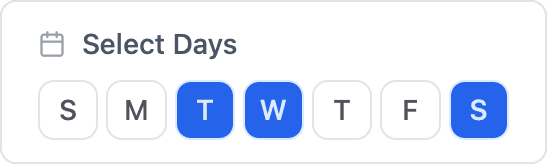
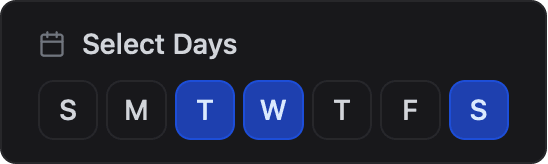
ESP-DASH Pro feature. This functionality is available only in the commercial edition of ESP-DASH.The week selector card shows a button for each day of the week and lets the user select any combination of days. The selection is exchanged as a comma-separated string of day identifiers. Use it for schedules, timers and recurring tasks.
Constructor
template <typename T = dash::string>
dash::WeekCard<T>(ESPDash& dashboard, const char* name, bool extended = false);
Template parameters
Prop
Type
Parameters
Prop
Type
dash::WeekCard<> week(dashboard, "Select Days");An overload without the dashboard argument creates the card without attaching it to a dashboard; attach it later with dashboard.add(card).
Value format
The value is a comma-separated list of the selected days, in the order they were selected, using these identifiers: sun, mon, tue, wed, thu, fri, sat. An empty string means no day is selected.
mon,tue,wedCallback
void onChange(std::function<void(const T& value)> callback);The callback fires each time the user selects or deselects a day. value is the complete selection in the format described above. Call setValue() and dashboard.sendUpdates() inside the callback to store the selection and keep the dashboard in sync.
week.onChange([](const dash::string& days) {
  Serial.printf("Selected days: %s\n", days.c_str());
  week.setValue(days);
  dashboard.sendUpdates();
});
Methods
setValue()
bool setValue(T value);Sets the selected days. Returns true if the value changed.
week.setValue("mon,tue,wed");value()
const T& value() const;Returns the current selection.
setExtended()
bool setExtended(bool extended);Enables or disables extended mode. In extended mode the day buttons show abbreviated names ("Sun", "Mon", "Tue", ...) instead of single letters ("S", "M", "T", ...). Returns true if the mode changed.
week.setExtended(true);isExtended()
bool isExtended() const;Returns true if extended mode is enabled.
Example
#include <Arduino.h>
#include <WiFi.h>
#include <AsyncTCP.h>
#include <ESPAsyncWebServer.h>
#include <ESPDashPro.h>

AsyncWebServer server(80);
ESPDash dashboard(server);

dash::WeekCard<> week(dashboard, "Watering Days");

void setup() {
  Serial.begin(115200);
  // ... connect to WiFi

  week.setValue("mon,wed,fri");
  week.setExtended(true);

  week.onChange([](const dash::string& days) {
    Serial.printf("Selected days: %s\n", days.c_str());
    week.setValue(days);
    dashboard.sendUpdates();
  });

  server.begin();
}

void loop() {
  // ...
}