Password Card
Collect passwords and other secrets from the dashboard without echoing them back using dash::PasswordCard.
ESP-DASH Pro feature. This functionality is available only in the commercial edition of ESP-DASH.The password card provides a masked input field for sensitive text such as passwords, API keys or PINs. The entered text is delivered to your callback, and the card never sends the actual secret back to the dashboard.
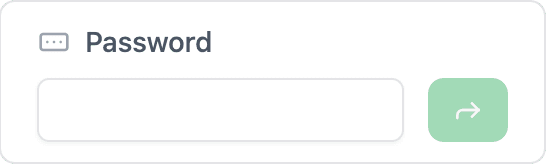
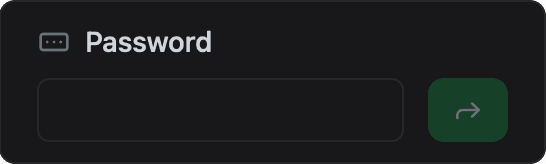
Constructor
dash::PasswordCard card(dashboard, name, placeholder);Prop
Type
dash::PasswordCard is not a template. It derives from dash::InputCard<const char*>, so its value type is const char*.
dash::PasswordCard wifiPassword(dashboard, "Wi-Fi password");
dash::PasswordCard apiKey(dashboard, "API key", "********");
An overload without the dashboard argument creates the card without attaching it to a dashboard; attach it later with dashboard.add(card).
Callback
void onChange(std::function<void(const std::optional<const char*>& value)> callback);The callback fires when the user submits a value on the dashboard. value holds the entered text, or std::nullopt if the dashboard sends no value.
To show on the dashboard that a secret has been stored, call setOptionalValue(value) and then dashboard.sendUpdates() inside the callback. The card displays the placeholder instead of the entered text.
dash::PasswordCard apiKey(dashboard, "API key", "********");

// in setup()
apiKey.onChange([](const std::optional<const char*>& value) {
  if (value) {
    // store or use *value here
  }
  apiKey.setOptionalValue(value);
  dashboard.sendUpdates();
});
Methods
setValue()
bool setValue(const char* value);Marks the field as set or empty. If value is nullptr or an empty string, the field is cleared. Otherwise the card stores and displays the placeholder text, not value. The secret itself is never stored in the card or sent to the dashboard.
setOptionalValue()
bool setOptionalValue(std::optional<const char*> value);Calls setValue() with the contained value, or clears the field if value is std::nullopt. Use it to pass the callback argument back to the card.
value()
const char* const& value() const;Returns the value currently displayed: the placeholder text if a secret is set, or an empty string if the field is clear. It does not return the secret. Call it only when hasValue() returns true.
setPlaceholder()
bool setPlaceholder(const char* placeholder);Sets the text displayed in place of the secret. It takes effect the next time setValue() stores a non-empty value. Returns true if the placeholder changed.
placeholder()
const char* placeholder() const;Returns the current placeholder text.
Example
#include <Arduino.h>
#include <WiFi.h>              // ESP32; use the networking headers for your board
#include <AsyncTCP.h>
#include <ESPAsyncWebServer.h>
#include <ESPDashPro.h>

AsyncWebServer server(80);
ESPDash dashboard(server);

dash::PasswordCard apiKey(dashboard, "API key", "********");

dash::string storedKey;

void setup() {
  Serial.begin(115200);
  // ... connect to Wi-Fi

  apiKey.onChange([](const std::optional<const char*>& value) {
    if (value) {
      storedKey = *value;  // copy; the pointer is only valid during the callback
      Serial.println("API key updated");
    } else {
      Serial.println("API key cleared");
    }
    apiKey.setOptionalValue(value);
    dashboard.sendUpdates();
  });

  server.begin();
}

void loop() {
  // ...
}
Notes
- With the default empty placeholder, a stored secret is displayed as an empty field. Pass a placeholder such as
"********"to indicate that a value is set. - The pointer passed to the callback refers to the incoming message buffer. Copy the text if you need it after the callback returns.
- The card stores the
placeholderpointer and does not copy the string. Pass a string literal or a buffer that outlives the card.