Camera Stream Card
Play a live MJPEG camera stream on the dashboard with pause, fullscreen and optional autoplay using dash::CameraStreamCard.
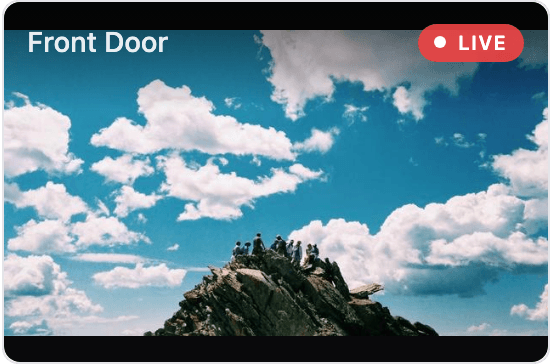
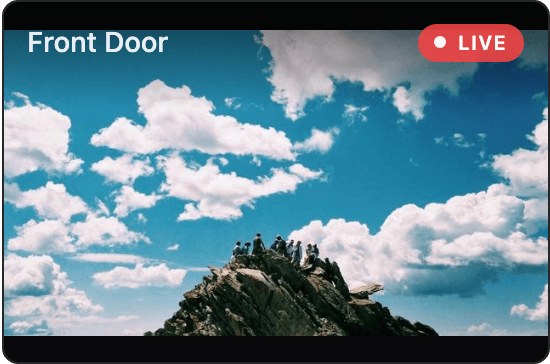
ESP-DASH Pro feature. This functionality is available only in the commercial edition of ESP-DASH.The camera stream card plays a live MJPEG stream, such as the one served by an ESP32-CAM, directly on the dashboard. A badge shows whether the stream is live, connecting or paused, and the viewer can pause the stream or open it in fullscreen.
Constructor
dash::CameraStreamCard<T> card(dashboard, name, imageSize);Prop
Type
Template parameters:
Prop
Type
dash::CameraStreamCard camera(dashboard, "Front Door");
dash::CameraStreamCard cameraXL(dashboard, "Garage", dash::ImageSize::XL);
An overload without the dashboard argument creates the card without attaching it to a dashboard; attach it later with dashboard.add(card).
Methods
The camera stream card has the same methods as the Image Card, plus autoplay control.
setValue()
bool setValue(T url);Sets the URL of the stream. Any URL the browser can display in an <img> element works, including MJPEG streams and still images. Returns true if the URL changed.
camera.setValue("http://192.168.1.50:81/stream");value()
const T& value() const;Returns the current URL. Call it only when hasValue() returns true.
setAutoplay()
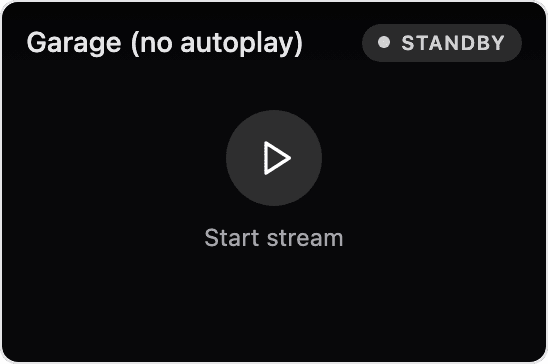
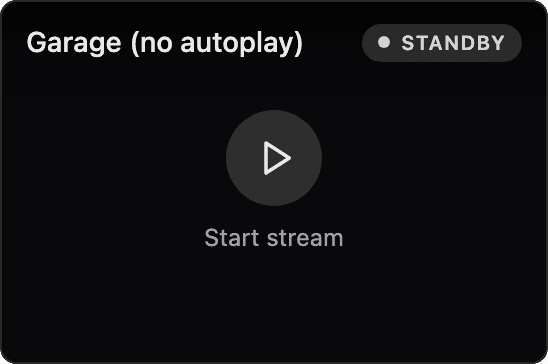
bool setAutoplay(bool autoplay);Sets whether the stream starts as soon as the dashboard loads. Autoplay is enabled by default. When it is disabled, the card shows a play button and does not connect to the stream until the viewer presses it. Returns true if the setting changed.
camera.setAutoplay(false);autoplay()
bool autoplay() const;Returns true if autoplay is enabled.
setImageSize() and imageSize()
bool setImageSize(dash::ImageSize size);
dash::ImageSize imageSize() const;
Set or return the display size of the card.
Example
#include <Arduino.h>
#include <WiFi.h>
#include <AsyncTCP.h>
#include <ESPAsyncWebServer.h>
#include <ESPDashPro.h>

AsyncWebServer server(80);
ESPDash dashboard(server);

dash::CameraStreamCard camera(dashboard, "Front Door", dash::ImageSize::XL);

void setup() {
  // ... connect to WiFi

  // MJPEG stream served by an ESP32-CAM running the CameraWebServer example
  camera.setValue("http://192.168.1.50:81/stream");
  camera.setAutoplay(false); // connect only when the viewer presses play

  server.begin();
}

void loop() {
  // ...
}
Notes
- The browser connects to the stream URL directly; the stream does not pass through the dashboard device. The camera must be reachable from the viewer's network.
- Pausing the stream, or switching to another browser tab, closes the connection to the camera. ESP32-CAM boards serve a limited number of viewers at once, so this frees the camera for others. Disable autoplay to avoid opening a connection for every page load.
- Autoplay applies when the page loads. Changing it does not pause or start a stream that is already showing in an open dashboard.
- Fullscreen uses the browser's fullscreen mode where it is available. On browsers without it, such as Safari on iPhone, the stream expands to fill the browser window instead; press Esc or the button again to close it.
- If the stream cannot be loaded, the card shows an error with a Retry button.