Static IP
Assign a fixed IP address to the device instead of DHCP, from your sketch or from the NetWizard captive portal.
NetWizard Pro feature. This functionality is available only in the commercial edition of NetWizard.By default, the device receives its IP address from the network's DHCP server. With a static IP configuration, it always uses the same address, which is useful when other devices or services need to reach it at a known address. You can set the configuration in your sketch, and users can set it in the captive portal while they connect the device to their network.
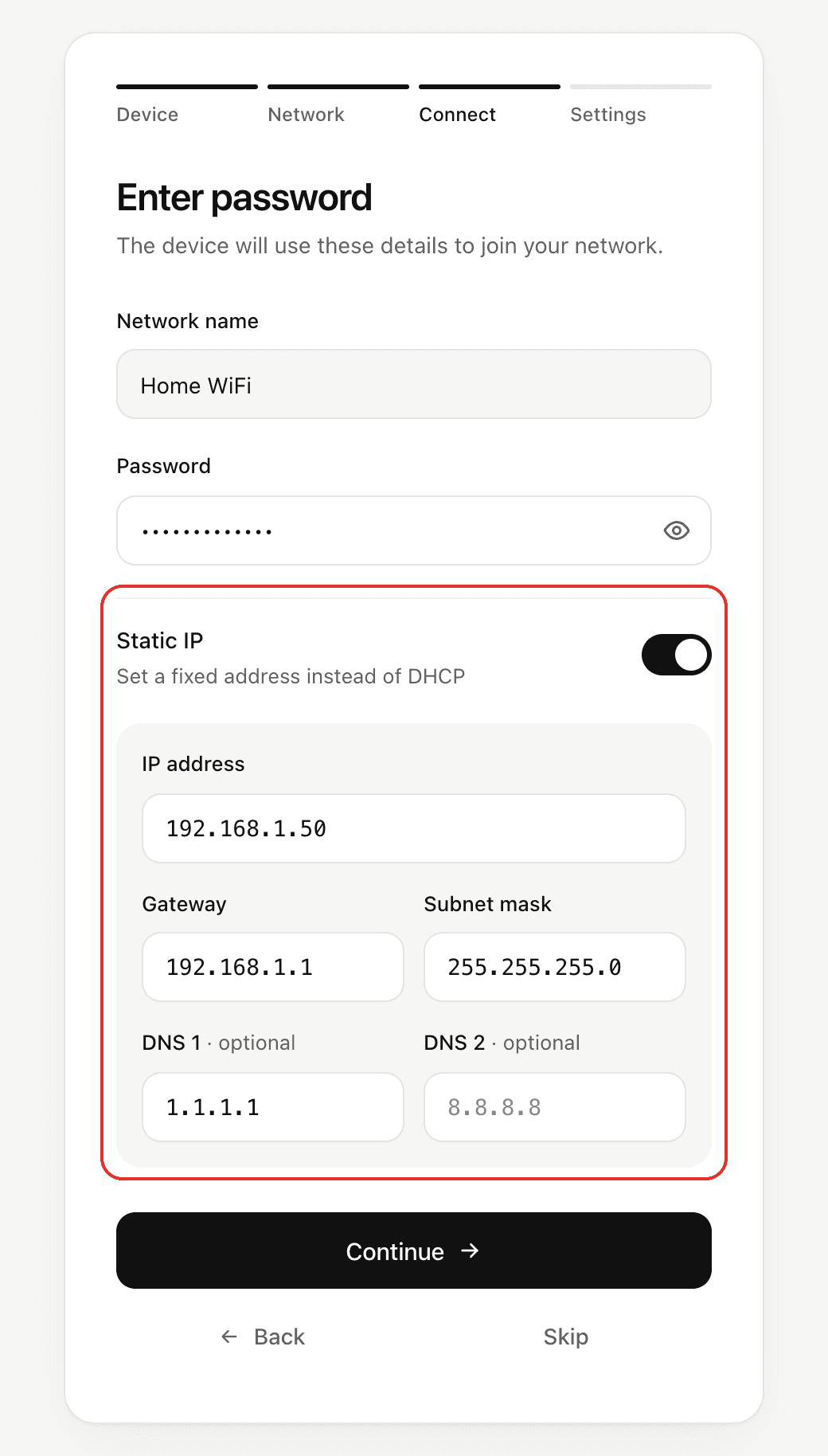
Configure from the captive portal
When users enter the network password, they can turn on Static IP and enter the IP address, gateway, subnet mask and up to two DNS servers. The DNS servers are optional; when none is given, the gateway is used as the DNS server. The portal validates the format of each address, and the device validates the configuration as a whole before it connects (see Validation).
The configuration is saved together with the WiFi credentials once the device connects successfully. The next time the portal opens, the saved configuration is filled in.
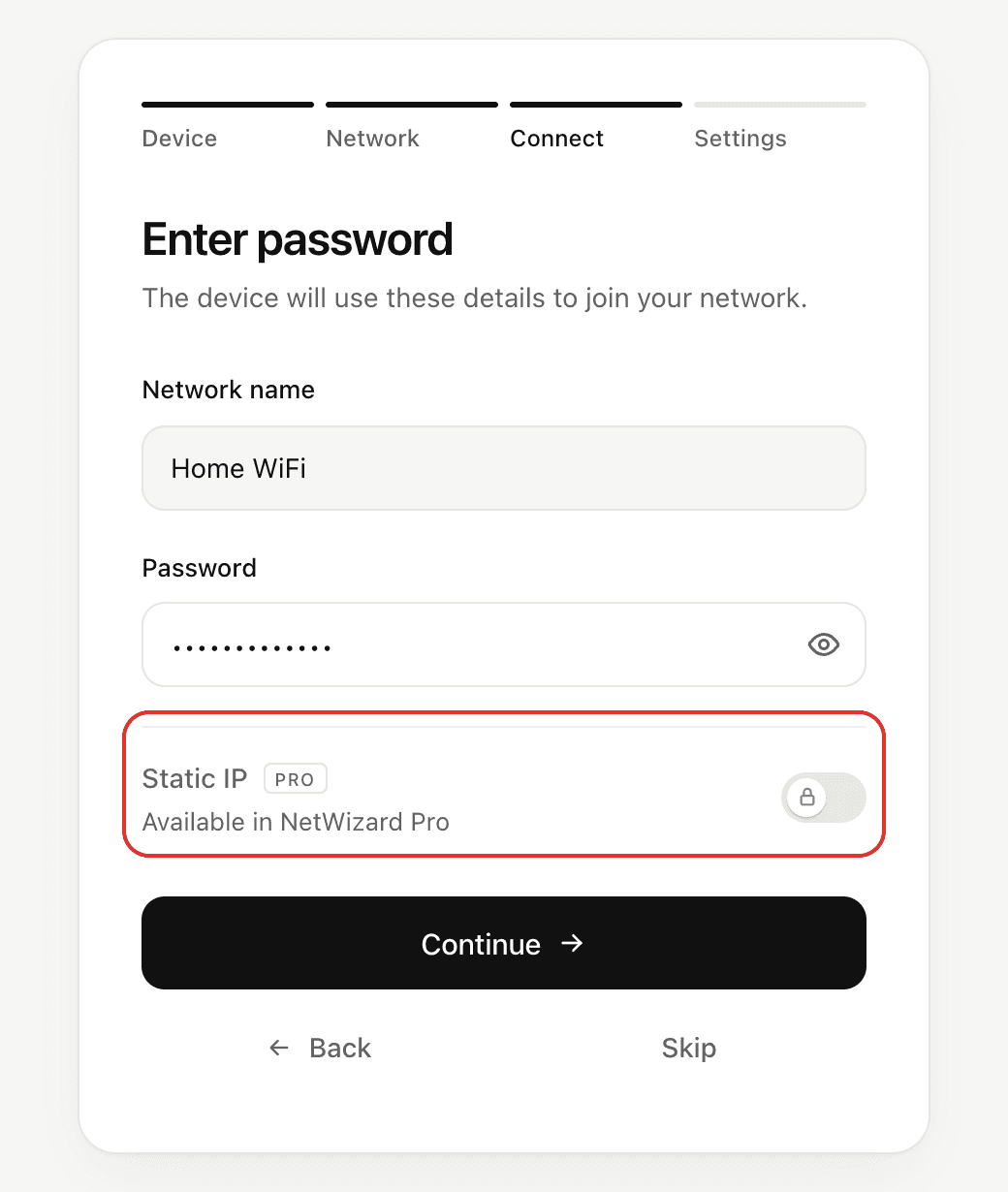
In NetWizard Lite, the Static IP option is shown but locked, with a note that it is available in NetWizard Pro.
Methods
setStaticIP()
bool setStaticIP(IPAddress ip, IPAddress gateway, IPAddress subnet,
                 IPAddress dns1 = IPAddress(0, 0, 0, 0),
                 IPAddress dns2 = IPAddress(0, 0, 0, 0));
Prop
Type
Validates the configuration and saves it to persistent storage. Returns true if the configuration is valid, or false if it is rejected, in which case the current configuration is kept. The configuration applies to the next connection, so call it before autoConnect().
void setup() {
  // ...
  NW.setStaticIP(IPAddress(192, 168, 1, 50), IPAddress(192, 168, 1, 1), IPAddress(255, 255, 255, 0));
  NW.autoConnect("NetWizard Demo", "");
  // ...
}
Sketch configuration takes precedence
setStaticIP() saves the configuration each time it runs. If you call it in setup(), it replaces any configuration a user entered in the portal on every boot. Call it only when your application, and not the user, decides the address.
setDHCP()
void setDHCP();Removes the static IP configuration from memory and persistent storage. From the next connection, the device obtains its address with DHCP.
NW.setDHCP();isStaticIP()
bool isStaticIP();Returns true if a static IP configuration is active.
if (NW.isStaticIP()) {
  // ...
}
Validation
A configuration, whether set with setStaticIP() or submitted from the portal, is accepted only if:
- the IP address and the gateway are set,
- the subnet mask is contiguous, between
255.0.0.0and255.255.255.254, - the gateway is in the same subnet as the IP address and differs from it, and
- the IP address is not the network or broadcast address of the subnet.
A submission from the portal that fails these checks is rejected, and the portal shows an error.
Notes
reset()anderase()also remove the saved static IP configuration.- Read the address in use with
localIP(),gatewayIP()andsubnetMask(). - An address that is valid in form can still conflict with another device or lie outside the network's range. Choose an address outside the DHCP pool of the router.