Parameters
Toggle
Add an on/off switch to the NetWizard configuration page and read its state as an integer.
NetWizard Pro feature. This functionality is available only in the commercial edition of NetWizard.A toggle parameter displays a switch on the configuration page. Its value is an integer: 1 when the switch is on and 0 when it is off. Use it for boolean settings such as enabling TLS or a feature flag.
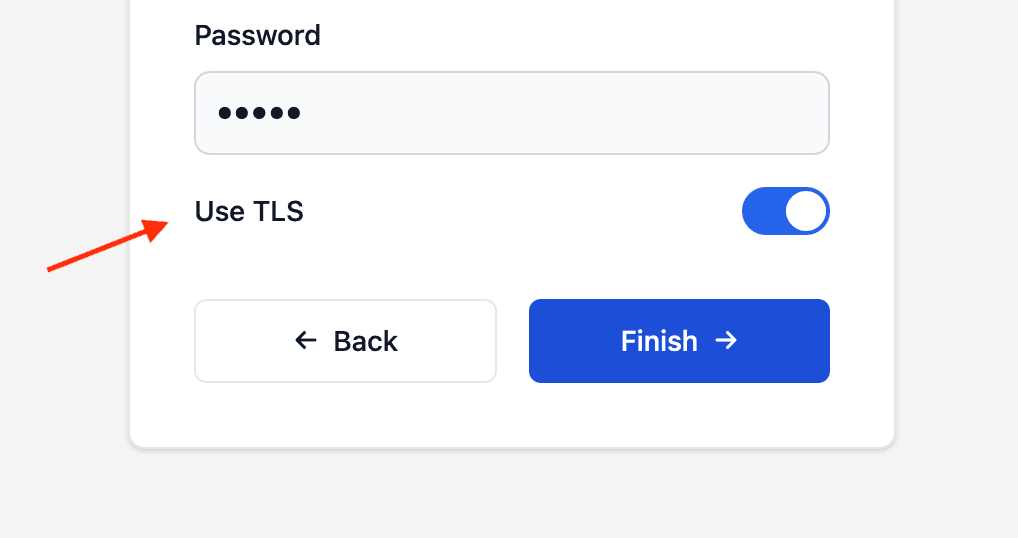
Constructor
NetWizardParameter nw_toggle(&NW, NW_TOGGLE, name, value);Prop
Type
NetWizardParameter nw_use_tls(&NW, NW_TOGGLE, "Use TLS", 0);Pass the initial state as an int literal (0 or 1) so that the integer overload of the constructor is selected.
Methods
getValueInt()
int val = nw_use_tls.getValueInt();Returns the current state.
getValue()
int val;
nw_use_tls.getValue(val);
Copies the current state into an int.
setValue()
nw_use_tls.setValue(1);Sets the state of the switch.
Read toggle values with getValueInt() or getValue(int&). Do not use getValueStr() on a toggle: for integer values it returns a reference to a temporary String.
Example
#include <WebServer.h>
#include <NetWizardPro.h>

WebServer server(80);
NetWizard NW(&server);

NetWizardParameter nw_use_tls(&NW, NW_TOGGLE, "Use TLS", 1);

void setup() {
  Serial.begin(115200);

  NW.onConfig([&]() {
    Serial.printf("Use TLS: %d\n", nw_use_tls.getValueInt());
    return true;
  });

  NW.autoConnect("NetWizard Demo", "");
  server.begin();
}

void loop() {
  NW.loop();
}