Parameters
Input
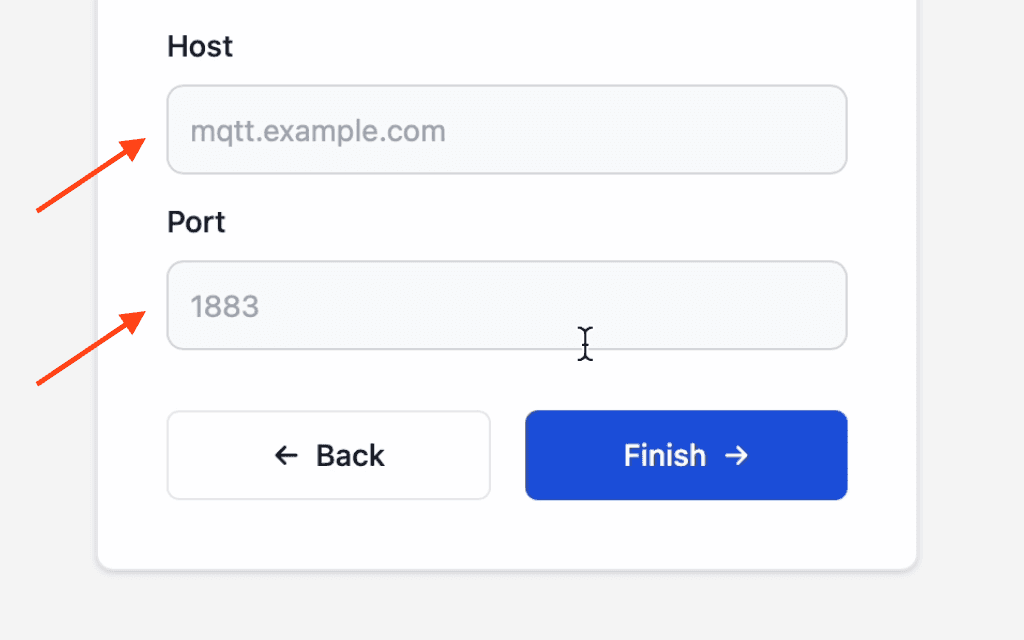
Collect a single line of text, such as a host name or user name, on the NetWizard configuration page.
An input parameter displays a single-line text field on the configuration page. Use it to collect application settings such as server addresses, user names or identifiers.
Constructor
NetWizardParameter nw_input(&NW, NW_INPUT, name, value, placeholder, required);Prop
Type
NetWizardParameter nw_host(&NW, NW_INPUT, "MQTT Host", "", "mqtt.example.com");Methods
getValueStr()
String val = nw_host.getValueStr();Returns the current value.
getValue()
String val;
nw_host.getValue(val);
Copies the current value into a String.
setValue()
nw_host.setValue("broker.example.com");Sets the value shown in the portal.
See Parameters for the methods shared by all parameter types.
Example
#include <WebServer.h>
#include <NetWizard.h>

WebServer server(80);
NetWizard NW(&server);

NetWizardParameter nw_host(&NW, NW_INPUT, "MQTT Host", "", "mqtt.example.com");

void setup() {
  Serial.begin(115200);

  NW.onConfig([&]() {
    Serial.printf("MQTT host: %s\n", nw_host.getValueStr().c_str());
    return true;
  });

  NW.autoConnect("NetWizard Demo", "");
  server.begin();
}

void loop() {
  NW.loop();
}