Parameters
Textarea
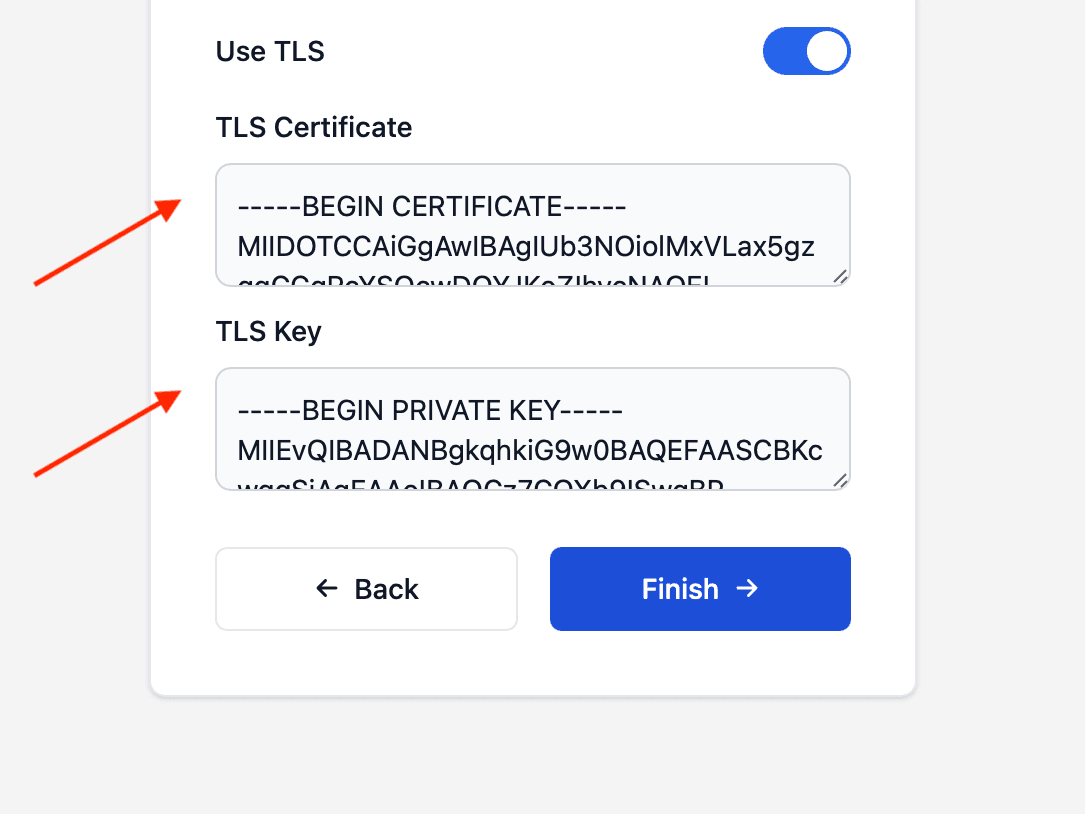
Collect multi-line text, such as certificates or keys, on the NetWizard configuration page.
NetWizard Pro feature. This functionality is available only in the commercial edition of NetWizard.A textarea parameter displays a multi-line text field on the configuration page. Use it for input that is best entered over several lines, such as TLS certificates, keys or other structured data.
Constructor
NetWizardParameter nw_textarea(&NW, NW_TEXTAREA, name, value, placeholder, required);Prop
Type
NetWizardParameter nw_root_ca(&NW, NW_TEXTAREA, "Root CA", "",
                              "-----BEGIN CERTIFICATE-----\n-----END CERTIFICATE-----");
Methods
getValueStr()
String val = nw_root_ca.getValueStr();Returns the current value.
getValue()
String val;
nw_root_ca.getValue(val);
Copies the current value into a String.
setValue()
nw_root_ca.setValue("-----BEGIN CERTIFICATE-----\n...");Sets the value of the field.
See Parameters for the methods shared by all parameter types.
Example
#include <WebServer.h>
#include <NetWizardPro.h>

WebServer server(80);
NetWizard NW(&server);

NetWizardParameter nw_root_ca(&NW, NW_TEXTAREA, "Root CA", "",
                              "-----BEGIN CERTIFICATE-----\n-----END CERTIFICATE-----");

void setup() {
  NW.onConfig([&]() {
    // validate and store nw_root_ca.getValueStr()
    return true;
  });

  NW.autoConnect("NetWizard Demo", "");
  server.begin();
}

void loop() {
  NW.loop();
}