Links
Add buttons to the NetWizard captive portal that open other pages served by the device in access point mode.
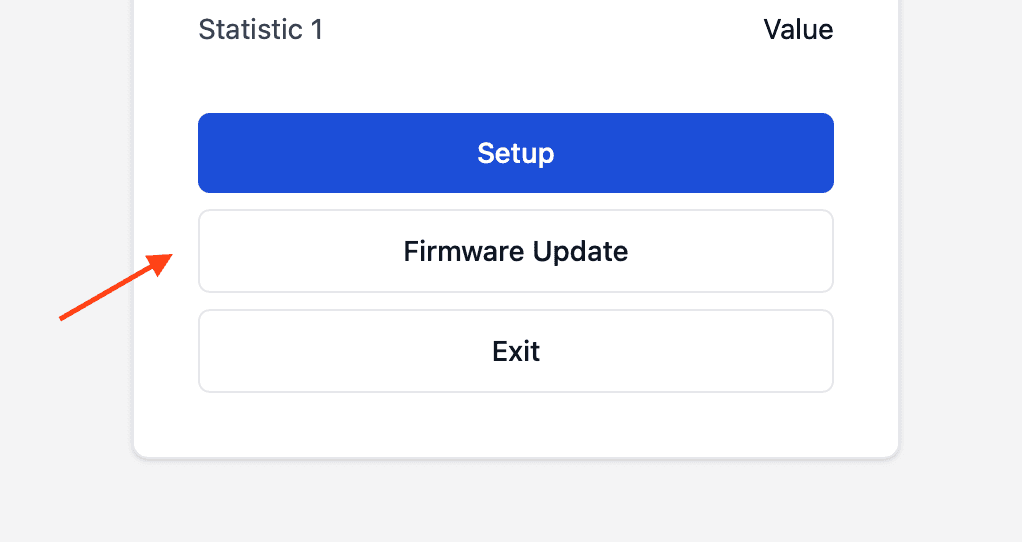
NetWizard Pro feature. This functionality is available only in the commercial edition of NetWizard.Links add buttons to the home page of the captive portal that navigate to other pages served by your device. Use them to give users access to, for example, an ElegantOTA firmware update page or your application's own setup page while the device is in access point mode.
Links appear in declaration order between the Setup and Exit buttons. You can add as many links as you need.
Constructor
NetWizardLink(NetWizard* parent, const char* label, const char* url = "#");Prop
Type
NetWizard NW(&server);

NetWizardLink nw_link(&NW, "Firmware Update", "/update");
The label and URL are copied. A link removes itself from the portal when it is destroyed.
Methods
setLabel()
void setLabel(const char* label);Changes the button text.
setURL()
void setURL(const char* url);Changes the destination URL.
Notes
- The destination route must be reachable from clients connected to the access point. NetWizard does not register it; serve it from your own sketch on the same web server.