Statistics
Show application-specific key-value pairs on the home page of the NetWizard captive portal.
NetWizard Pro feature. This functionality is available only in the commercial edition of NetWizard.Statistics display key-value pairs on the home page of the captive portal, below the built-in connection details. Use them to show application-specific information during setup, such as the firmware version, a serial number or sensor readings. Statistics appear in declaration order, and you can add as many as you need.
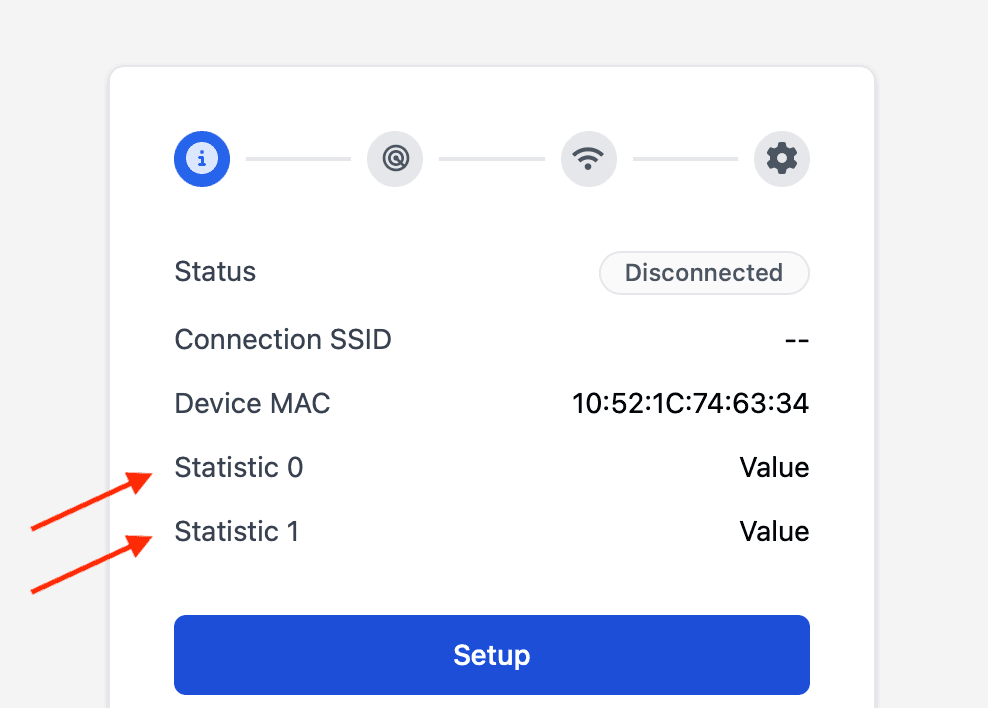
Constructor
NetWizardStatistic(NetWizard* parent, const char* label, const char* value = "");Prop
Type
NetWizard NW(&server);

NetWizardStatistic nw_stat(&NW, "Firmware", "v1.0.0");
The label and value are copied, so you can pass temporary strings. A statistic removes itself from the portal when it is destroyed.
Methods
setLabel()
void setLabel(const char* label);Changes the key.
setValue()
void setValue(const char* value);Changes the value.
Example
#include <WebServer.h>
#include <NetWizardPro.h>

WebServer server(80);
NetWizard NW(&server);

NetWizardStatistic nw_firmware(&NW, "Firmware", "v1.0.0");
NetWizardStatistic nw_uptime(&NW, "Uptime");

void setup() {
  NW.setStrategy(NetWizardStrategy::NON_BLOCKING);
  NW.autoConnect("NetWizard Demo", "");
  server.begin();
}

void loop() {
  static unsigned long last = 0;
  if (millis() - last > 1000) {
    last = millis();
    nw_uptime.setValue(String(millis() / 1000).c_str());
  }
  NW.loop();
}