Cards
You are reading the documentation for ESP-DASH v4.x.x, which is no longer the latest release. View the v5.x.x documentation.Status Card
Display a message with an idle, success, warning or danger indicator on the ESP-DASH v4 dashboard.
The status card displays a message together with one of four status indicators: idle, success, warning or danger. Use it to report system health or the state of a process.

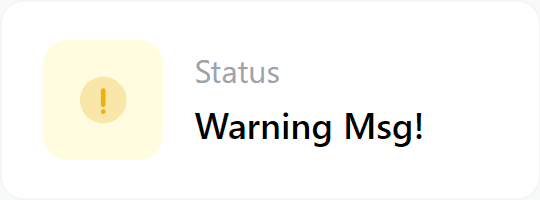
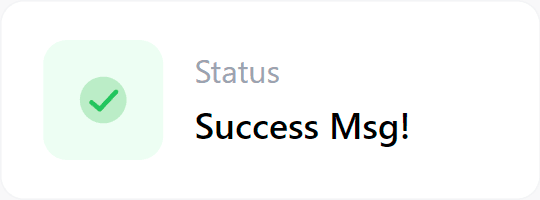
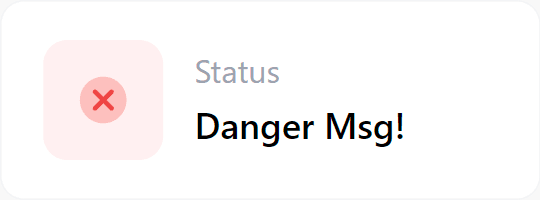
Status constants
| Constant | Indicator |
|---|---|
DASH_STATUS_IDLE | Idle (grey) |
DASH_STATUS_SUCCESS | Success (green) |
DASH_STATUS_WARNING | Warning (yellow) |
DASH_STATUS_DANGER | Danger (red) |
Constructor
Card status(&dashboard, STATUS_CARD, "System Status", DASH_STATUS_SUCCESS);Prop
Type
Methods
update()
Sets the message:
status.update("All systems operational");Sets the message and the status at the same time:
status.update("Sensor offline", DASH_STATUS_DANGER);Call dashboard.sendUpdates() afterwards to push the change to connected clients.
Example
#include <Arduino.h>
#if defined(ESP8266)
  #include <ESP8266WiFi.h>
  #include <ESPAsyncTCP.h>
#elif defined(ESP32)
  #include <WiFi.h>
  #include <AsyncTCP.h>
#endif
#include <ESPAsyncWebServer.h>
#include <ESPDash.h>

const char* ssid = "YOUR_SSID";
const char* password = "YOUR_PASSWORD";

AsyncWebServer server(80);
ESPDash dashboard(&server);

Card status(&dashboard, STATUS_CARD, "System Status", DASH_STATUS_IDLE);

void setup() {
  Serial.begin(115200);

  WiFi.mode(WIFI_STA);
  WiFi.begin(ssid, password);
  if (WiFi.waitForConnectResult() != WL_CONNECTED) {
    Serial.println("WiFi connection failed");
    return;
  }
  Serial.print("IP address: ");
  Serial.println(WiFi.localIP());

  status.update("Running", DASH_STATUS_SUCCESS);

  server.begin();
}

void loop() {
  static unsigned long lastUpdate = 0;
  if (millis() - lastUpdate > 3000) {
    lastUpdate = millis();
    if (WiFi.RSSI() < -80) {
      status.update("Weak WiFi signal", DASH_STATUS_WARNING);
    } else {
      status.update("Running", DASH_STATUS_SUCCESS);
    }
    dashboard.sendUpdates();
  }
}