Slider Card
Select integer or float values within a defined range from the ESP-DASH v4 dashboard with the slider card.
The slider card lets the user select a numeric value within a defined range. Use it for adjustable parameters such as brightness, speed or setpoints.
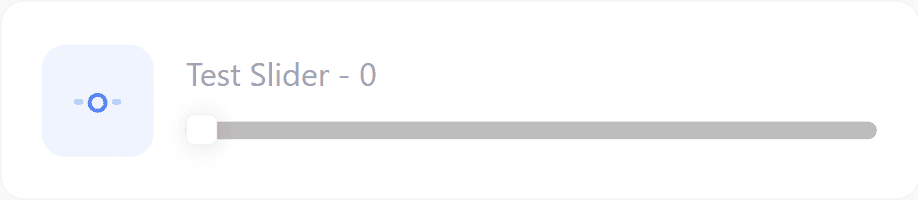
Constructor
Pass the min and max of the range, and optionally the step size:
Card slider(&dashboard, SLIDER_CARD, "Brightness", "", 0, 255, 1);For a fractional range, use the float overload. This overload has no default arguments: pass symbol explicitly, and pass min, max and step as float values.
Card slider(&dashboard, SLIDER_CARD, "Setpoint", "°C", 15.0f, 30.0f, 0.5f);Prop
Type
Callback
void attachCallback(std::function<void(int value)> cb);
void attachCallbackF(std::function<void(float value)> cb);
The callback fires when the user moves the slider on the dashboard. value is the newly selected value.
- For integer sliders, use
attachCallback(). The value is passed asint. - For sliders created with the float constructor, use
attachCallbackF(). The value is passed asfloat.
Call update() with the received value and then dashboard.sendUpdates() inside the callback. Otherwise the dashboard does not register the new value.
slider.attachCallback([&](int value) {
  Serial.println("Slider: " + String(value));
  slider.update(value);
  dashboard.sendUpdates();
});
For a float slider:
slider.attachCallbackF([&](float value) {
  Serial.println("Slider: " + String(value));
  slider.update(value);
  dashboard.sendUpdates();
});
Methods
update()
Sets the slider position. Call dashboard.sendUpdates() afterwards to push the change to connected clients.
slider.update(int value);
slider.update(float value);
Pass a second const char* symbol argument to change the symbol at the same time:
slider.update(244, "%");Example
#include <Arduino.h>
#if defined(ESP8266)
  #include <ESP8266WiFi.h>
  #include <ESPAsyncTCP.h>
#elif defined(ESP32)
  #include <WiFi.h>
  #include <AsyncTCP.h>
#endif
#include <ESPAsyncWebServer.h>
#include <ESPDash.h>

const char* ssid = "YOUR_SSID";
const char* password = "YOUR_PASSWORD";

AsyncWebServer server(80);
ESPDash dashboard(&server);

const int LED_PIN = 2;

Card slider(&dashboard, SLIDER_CARD, "Brightness", "", 0, 255, 1);

void setup() {
  Serial.begin(115200);

  WiFi.mode(WIFI_STA);
  WiFi.begin(ssid, password);
  if (WiFi.waitForConnectResult() != WL_CONNECTED) {
    Serial.println("WiFi connection failed");
    return;
  }
  Serial.print("IP address: ");
  Serial.println(WiFi.localIP());

  pinMode(LED_PIN, OUTPUT);

  slider.attachCallback([&](int value) {
    analogWrite(LED_PIN, value);
    slider.update(value);
    dashboard.sendUpdates();
  });

  server.begin();
}

void loop() {
  // ...
}
Notes
- An integer slider passes its value to
attachCallback(). If you construct the slider with the float overload but register onlyattachCallback(), the value is truncated toint.