Cards
You are reading the documentation for ESP-DASH v4.x.x, which is no longer the latest release. View the v5.x.x documentation.Joystick Card
Control devices with an on-screen joystick that reports direction or X/Y coordinates on the ESP-DASH Pro v4 dashboard.
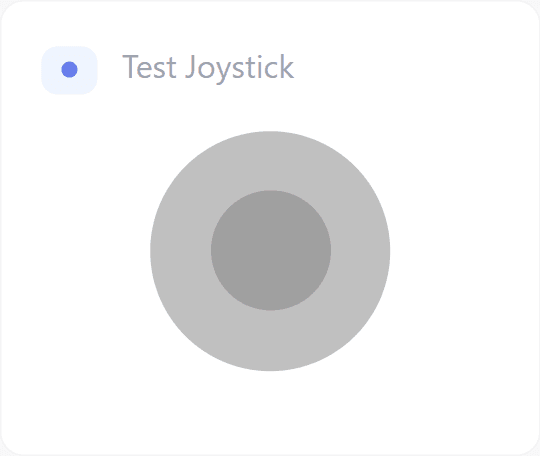
ESP-DASH Pro feature. This functionality is available only in the commercial edition of ESP-DASH.The joystick card provides an on-screen joystick and reports its movement through callbacks, either as a direction or as X/Y coordinates. Use it to drive motors, pan-tilt mounts or robots.
Constructor
Card joystick(&dashboard, JOYSTICK_CARD, "Joystick");Prop
Type
Direction lock
By default, the joystick moves on both axes. To restrict it to a single axis, pass lockX or lockY as the fourth argument:
Card joystickX(&dashboard, JOYSTICK_CARD, "Horizontal", "lockX");
Card joystickY(&dashboard, JOYSTICK_CARD, "Vertical", "lockY");
Callback
The joystick card supports two callbacks, which you can register independently.
Directional callback
Fires when the joystick moves and receives the active direction: up, down, left, right or idle.
joystick.attachCallback([&](const char* direction) {
  Serial.println("Direction: " + String(direction));
});
Coordinates callback
Fires when the joystick moves and receives the position of the thumb. Both axes range from -60 to 60:
- X axis:
-60is left,60is right. - Y axis:
-60is up,60is down.
joystick.attachCallback([&](int8_t x, int8_t y) {
  Serial.printf("X: %d, Y: %d\n", x, y);
});
Example
#include <Arduino.h>
#if defined(ESP8266)
  #include <ESP8266WiFi.h>
  #include <ESPAsyncTCP.h>
#elif defined(ESP32)
  #include <WiFi.h>
  #include <AsyncTCP.h>
#endif
#include <ESPAsyncWebServer.h>
#include <ESPDash.h>

const char* ssid = "YOUR_SSID";
const char* password = "YOUR_PASSWORD";

AsyncWebServer server(80);
ESPDash dashboard(&server);

Card joystick(&dashboard, JOYSTICK_CARD, "Joystick");

void setup() {
  Serial.begin(115200);

  WiFi.mode(WIFI_STA);
  WiFi.begin(ssid, password);
  if (WiFi.waitForConnectResult() != WL_CONNECTED) {
    Serial.println("WiFi connection failed");
    return;
  }
  Serial.print("IP address: ");
  Serial.println(WiFi.localIP());

  joystick.attachCallback([&](const char* direction) {
    Serial.println("Direction: " + String(direction));
  });

  joystick.attachCallback([&](int8_t x, int8_t y) {
    Serial.printf("X: %d, Y: %d\n", x, y);
  });

  server.begin();
}

void loop() {
  // ...
}
Notes
- The joystick card does not need
update(), since no value is passed back to the dashboard.