Cards
You are reading the documentation for ESP-DASH v4.x.x, which is no longer the latest release. View the v5.x.x documentation.Dropdown Card
Let users select one option from a comma-separated list of choices on the ESP-DASH Pro v4 dashboard.
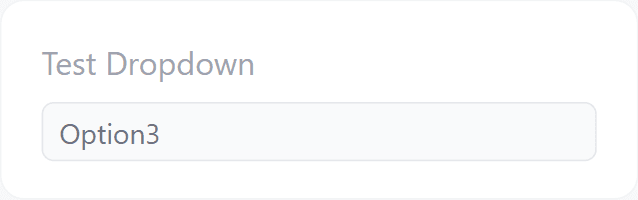
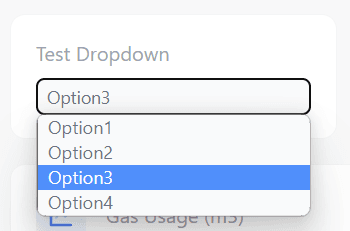
ESP-DASH Pro feature. This functionality is available only in the commercial edition of ESP-DASH.The dropdown card lets the user select one option from a list. Choices are defined as a single comma-separated (,) string, with no limit on their number.
Constructor
Card dropdown(&dashboard, DROPDOWN_CARD, "Mode", "Auto,Manual,Off");Prop
Type
Callback
The callback fires when the user selects an option on the dashboard. value is the selected choice.
Call update() with the received value and then dashboard.sendUpdates() inside the callback. Otherwise the dashboard does not register the selection.
dropdown.attachCallback([&](const char* value) {
  Serial.println("Selected: " + String(value));
  dropdown.update(value);
  dashboard.sendUpdates();
});
Methods
update()
Sets the selected value:
dropdown.update(const char* value);Sets the selected value and replaces the list of choices:
dropdown.update(const char* value, const char* choices);Call dashboard.sendUpdates() afterwards to push the change to connected clients.
Example
#include <Arduino.h>
#if defined(ESP8266)
  #include <ESP8266WiFi.h>
  #include <ESPAsyncTCP.h>
#elif defined(ESP32)
  #include <WiFi.h>
  #include <AsyncTCP.h>
#endif
#include <ESPAsyncWebServer.h>
#include <ESPDash.h>

const char* ssid = "YOUR_SSID";
const char* password = "YOUR_PASSWORD";

AsyncWebServer server(80);
ESPDash dashboard(&server);

Card dropdown(&dashboard, DROPDOWN_CARD, "Mode", "Auto,Manual,Off");

void setup() {
  Serial.begin(115200);

  WiFi.mode(WIFI_STA);
  WiFi.begin(ssid, password);
  if (WiFi.waitForConnectResult() != WL_CONNECTED) {
    Serial.println("WiFi connection failed");
    return;
  }
  Serial.print("IP address: ");
  Serial.println(WiFi.localIP());

  dropdown.update("Auto");

  dropdown.attachCallback([&](const char* value) {
    Serial.println("Selected: " + String(value));
    dropdown.update(value);
    dashboard.sendUpdates();
  });

  server.begin();
}

void loop() {
  // ...
}