Firmware Version
Display the running firmware version in the ElegantOTA Pro portal and provide the version that update channels compare against.
ElegantOTA Pro feature. This functionality is available only in the commercial edition of ElegantOTA.The firmware version identifies the software running on a device. ElegantOTA Pro displays it as Firmware in the device section of the portal, and an update channel compares it with the version advertised in the manifest to decide whether an update is available.
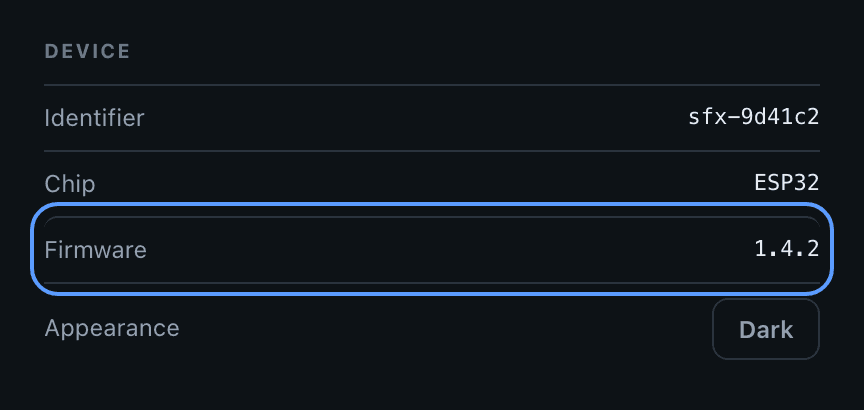
Set the firmware version
ElegantOTA.setFWVersion("1.0.0");Prop
Type
Example
#include <ElegantOTAPro.h>

// ... web server declaration

void setup() {
  // ... connect to Wi-Fi

  ElegantOTA.setFWVersion("1.0.0");
  ElegantOTA.begin(&server);

  server.begin();
}

void loop() {
  server.handleClient();
  ElegantOTA.loop();
}
Use cases
- Firmware updates: determine whether a device needs an update, and verify that it received the correct one. Update channels use the version for this comparison.
- Compatibility: confirm that devices that communicate with each other run compatible software.
- Tracking: keep a history of the firmware versions installed on each device for troubleshooting.
- Remote diagnostics: relate reported problems to specific releases.
Best practices
- Use a consistent versioning scheme such as Semantic Versioning. Update channels compare the numeric fields of the version one by one; see Version comparison.
- Do not use double quotes (
") or backslashes (\) in the version. The value is embedded in the JSON that the portal loads without escaping. - Set the version in
setup()so that it always reflects the installed firmware. - Update the value passed to
setFWVersion()in every release. If a release does not change it, the device keeps reporting the previous version, and an update channel keeps offering the release that is already installed.