Auto Reboot
Control whether ElegantOTA reboots the device automatically after a successful OTA update.
By default, ElegantOTA reboots the device after a successful update so that the new firmware or filesystem image takes effect. If your application must decide when to restart, for example to finish a task or save state first, disable auto reboot.
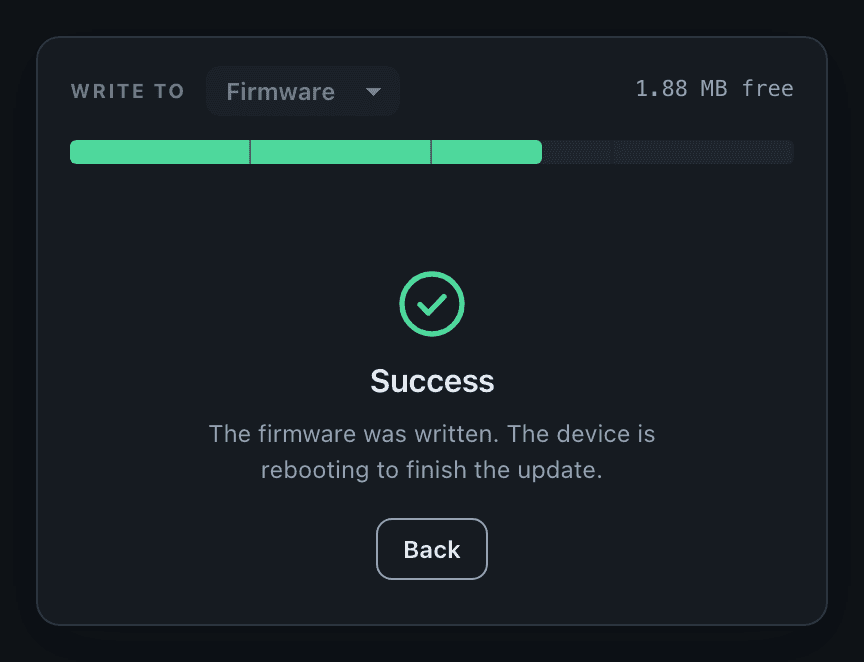
Set auto reboot
Call setAutoReboot() with false to disable automatic reboots, or with true to enable them again. You can call it at any time.
ElegantOTA.setAutoReboot(false);Prop
Type
Example
#include <ElegantOTA.h>

// ... web server declaration

void setup() {
  // ... connect to Wi-Fi

  ElegantOTA.begin(&server);
  ElegantOTA.setAutoReboot(false);   // Restart the device from your own code

  server.begin();
}

void loop() {
  server.handleClient();
  ElegantOTA.loop();
}
Behavior
- With auto reboot enabled,
ElegantOTA.loop()restarts the device about two seconds after a successful update. Your sketch must callElegantOTA.loop()for the reboot to happen. - The portal adapts its message: with auto reboot enabled, it states that the device is rebooting to finish the update; with auto reboot disabled, it asks you to restart the device.
- With auto reboot disabled, the new image takes effect at the next restart. Restart the device from your code, for example in the
onEndcallback or later, when your application is ready.