Callbacks
Run your own code when an ElegantOTA update starts, progresses and ends, and, in ElegantOTA Pro, when an update channel offers a new version.
ElegantOTA provides callbacks that run your code at different stages of an update. Use them to prepare the device, report progress or react to the result.
| Callback | Signature | Edition |
|---|---|---|
onStart | void() | Lite and Pro |
onProgress | void(size_t current, size_t final) | Lite and Pro |
onEnd | void(bool success) | Lite and Pro |
onUpdateAvailable | void(const char* version, const char* notes) | Pro |
Each registration function accepts a std::function, so you can pass a function, a lambda or a bound member function. Registering a callback again replaces the previous one.
onStart
onStart fires when an update begins, before the flash region is opened. Use it to prepare the device, for example to save important data, put outputs in a safe state or stop tasks that access the filesystem.
ElegantOTA.onStart([]() {
  Serial.println("OTA update started");
  // Prepare the device here
});
For an upload from the portal, onStart fires when the device accepts the /ota/start request. In ElegantOTA Pro, for a direct download or an update channel installation, it fires after the server has responded and the size check has passed.
onProgress
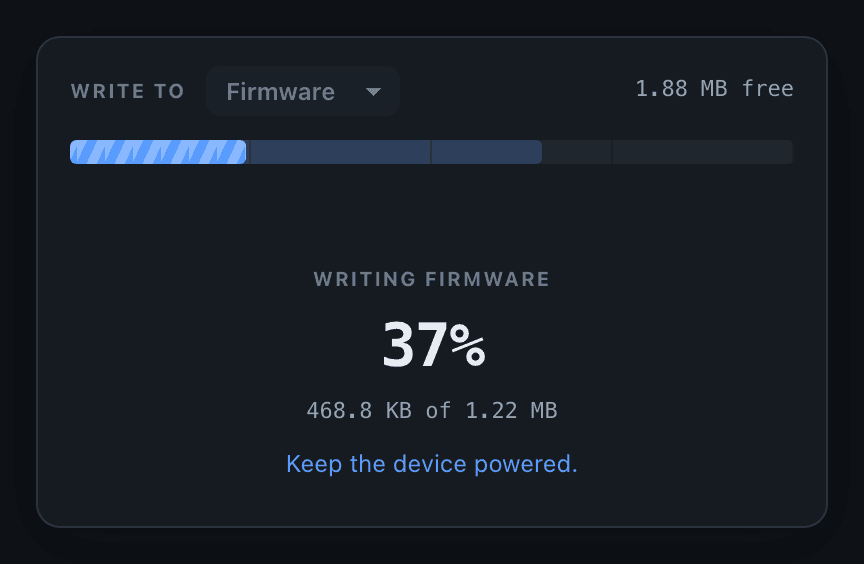
onProgress fires repeatedly while data is written. It receives current, the number of bytes received so far, and final, the total size reported for the transfer. For a download whose server does not report the size, final is 0.
unsigned long ota_progress_millis = 0;

ElegantOTA.onProgress([](size_t current, size_t final) {
  // Log at most once per second
  if (millis() - ota_progress_millis > 1000) {
    ota_progress_millis = millis();
    if (final > 0) {
      Serial.printf("Progress: %u%%\n", (unsigned)((current * 100) / final));
    } else {
      Serial.printf("Received: %u bytes\n", (unsigned)current);
    }
  }
});
onProgress can fire very frequently. Keep it short, and throttle logging or other slow work, as in the example above, so that the update is not slowed down.
onEnd
onEnd fires when the update completes, whether it succeeded or failed. The success parameter indicates the result. Use it to clean up or to act on the outcome.
ElegantOTA.onEnd([](bool success) {
  if (success) {
    Serial.println("OTA update completed successfully");
  } else {
    Serial.println("OTA update failed");
  }
});
If auto reboot is enabled, the device restarts shortly after a successful update. In ElegantOTA Pro, onEnd fires for a direct download or an update channel installation only if onStart fired for it.
onUpdateAvailable
Pro
onUpdateAvailable fires when a check of the update channel finds a version newer than the running firmware. It receives the offered version and the release notes from the manifest (an empty string if the manifest has none), and lets you decide when to install.
ElegantOTA.onUpdateAvailable([](const char* version, const char* notes) {
  Serial.printf("Version %s is available\n", version);

  // Install now, at a later time, or after a user confirms
  ElegantOTA.installUpdate();
});
To install every newer version without a decision in your code, call ElegantOTA.setAutoInstall(true).
Source of an update
ProonStart, onProgress and onEnd fire for every update, regardless of how it reached the device. In ElegantOTA Pro, ElegantOTA.source() returns the source of the current update:
ElegantOTA.onStart([]() {
  switch (ElegantOTA.source()) {
    case OTA_SOURCE_UPLOAD:  Serial.println("Uploaded from the portal"); break;
    case OTA_SOURCE_DIRECT:  Serial.println("Downloaded by the device"); break;
    case OTA_SOURCE_CHANNEL: Serial.println("Installed from the update channel"); break;
  }
});| Value | Source |
|---|---|
OTA_SOURCE_UPLOAD | A .bin file uploaded from the portal (File). |
OTA_SOURCE_DIRECT | A URL from the portal or from pullFrom() (Direct Download). |
OTA_SOURCE_CHANNEL | The update channel (Auto Update). |
source() is available only when ELEGANTOTA_ENABLE_REMOTE is 1 (the default).
Example
#include <ElegantOTA.h>

// ... web server declaration

unsigned long ota_progress_millis = 0;

void onOTAStart() {
  Serial.println("OTA update started");
}

void onOTAProgress(size_t current, size_t final) {
  if (millis() - ota_progress_millis > 1000) {
    ota_progress_millis = millis();
    Serial.printf("OTA progress: %u of %u bytes\n", (unsigned)current, (unsigned)final);
  }
}

void onOTAEnd(bool success) {
  Serial.println(success ? "OTA update finished successfully" : "OTA update failed");
}

void setup() {
  // ... connect to Wi-Fi

  ElegantOTA.begin(&server);
  ElegantOTA.onStart(onOTAStart);
  ElegantOTA.onProgress(onOTAProgress);
  ElegantOTA.onEnd(onOTAEnd);

  server.begin();
}

void loop() {
  server.handleClient();
  ElegantOTA.loop();
}