Branding
Replace the default WebSerial Pro terminal logo with your own light and dark logos by editing the logo.h and logo.cpp library files.
WebSerial Pro feature. This functionality is available only in the commercial edition of WebSerial.Branding refers to the logo displayed on the WebSerial Pro terminal. The logo is stored as byte arrays in the logo.h and logo.cpp files of the library source, so you can replace it without modifying any HTML or CSS.
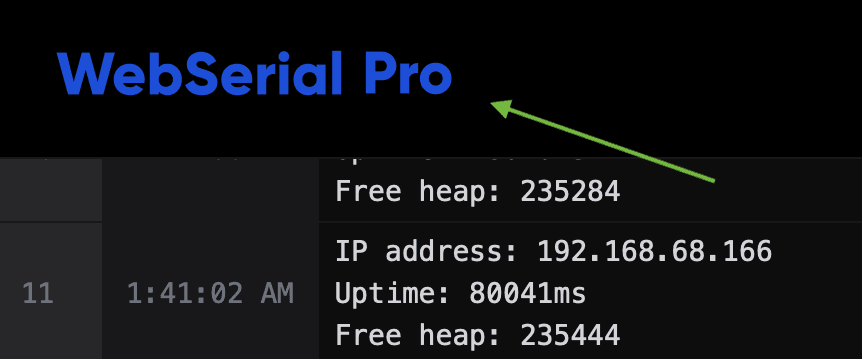
Replace the logo
Prepare the logos
Create or obtain the logo you want to display. Use SVG (recommended), PNG or JPG, and optimize the image to keep the file size small.
Prepare two versions of the logo, one for each theme. The light-theme logo should use darker colors and the dark-theme logo lighter colors, so that the logo remains legible in both themes.
Convert the logos
Convert both logo images into byte arrays. The converter below generates ready-to-use logo.h and logo.cpp files with gzip-compressed data:
To convert the images manually instead, use the File2Raw utility:
- Open File2Raw and upload the image file.
- Select Gzip Compress and Use PROGMEM (Arduino).
- Click Convert and copy the generated data.
Repeat the procedure for the light-theme and the dark-theme logo.
The conversion utility is provided as is, without warranty or liability of any kind.
Replace the logo data in the WebSerial Pro library
Update the logo files in the src folder of the WebSerial Pro library:
- In
logo.cpp, replace the contents ofWEBSERIAL_LIGHT_LOGOandWEBSERIAL_DARK_LOGOwith the generated data. - In
logo.h, update the array sizes in theexterndeclarations ofWEBSERIAL_LIGHT_LOGOandWEBSERIAL_DARK_LOGOto match the new data. - In
logo.h, setWEBSERIAL_LIGHT_LOGO_MIMEandWEBSERIAL_DARK_LOGO_MIMEto the MIME type of each image, for example"image/svg+xml"or"image/png". - Keep
WEBSERIAL_LOGO_GZIPPEDset to1when the data is gzip-compressed, or set it to0for uncompressed data.
#define WEBSERIAL_LOGO_GZIPPED      1
#define WEBSERIAL_LOGO_WIDTH        200u
#define WEBSERIAL_LOGO_HEIGHT       25u

#define WEBSERIAL_LIGHT_LOGO_MIME   "image/svg+xml"
extern const uint8_t WEBSERIAL_LIGHT_LOGO[1075];

#define WEBSERIAL_DARK_LOGO_MIME    "image/svg+xml"
extern const uint8_t WEBSERIAL_DARK_LOGO[1075];
Upload the firmware
Compile the sketch with the modified WebSerial Pro library and upload the firmware to your device.
Browsers cache the logo for up to 15 minutes. Clear the browser cache or perform a hard refresh to see the new logo immediately.
Review the changes
Open the terminal in a browser. The terminal switches between the light and dark logos according to the active theme.
To adjust the logo size, change WEBSERIAL_LOGO_WIDTH and WEBSERIAL_LOGO_HEIGHT (in pixels) in logo.h and upload the firmware again. Clear the browser cache after each change.
Logos and other branding elements may be subject to copyright and trademark law. Ensure that you have the necessary rights or permissions to use any branding elements in your project.