# Slider Card (/docs/espdash/v4/cards/slider)
> Select integer or float values within a defined range from the ESP-DASH v4 dashboard with the slider card.
Library: ESP-DASH v4.x.x
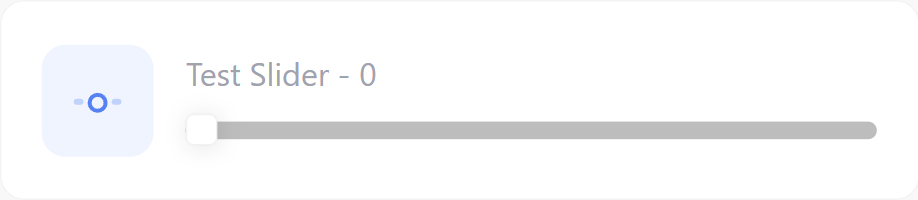
The slider card lets the user select a numeric value within a defined range. Use it for adjustable parameters such as brightness, speed or setpoints.
## Constructor
Pass the `min` and `max` of the range, and optionally the `step` size:
```cpp
Card slider(&dashboard, SLIDER_CARD, "Brightness", "", 0, 255, 1);
```
For a fractional range, use the float overload. This overload has no default arguments: pass `symbol` explicitly, and pass `min`, `max` and `step` as `float` values.
```cpp
Card slider(&dashboard, SLIDER_CARD, "Setpoint", "°C", 15.0f, 30.0f, 0.5f);
```
## Callback
```cpp
void attachCallback(std::function cb);
void attachCallbackF(std::function cb);
```
The callback fires when the user moves the slider on the dashboard. `value` is the newly selected value.
- For integer sliders, use `attachCallback()`. The value is passed as `int`.
- For sliders created with the float constructor, use `attachCallbackF()`. The value is passed as `float`.
Call `update()` with the received value and then `dashboard.sendUpdates()` inside the callback. Otherwise the dashboard does not register the new value.
```cpp
slider.attachCallback([&](int value) {
Serial.println("Slider: " + String(value));
slider.update(value);
dashboard.sendUpdates();
});
```
For a float slider:
```cpp
slider.attachCallbackF([&](float value) {
Serial.println("Slider: " + String(value));
slider.update(value);
dashboard.sendUpdates();
});
```
## Methods
### update()
Sets the slider position. Call `dashboard.sendUpdates()` afterwards to push the change to connected clients.
```cpp
slider.update(int value);
slider.update(float value);
```
Pass a second `const char* symbol` argument to change the symbol at the same time:
```cpp
slider.update(244, "%");
```
## Example
```cpp title="main.cpp"
#include
#if defined(ESP8266)
#include
#include
#elif defined(ESP32)
#include
#include
#endif
#include
#include
const char* ssid = "YOUR_SSID";
const char* password = "YOUR_PASSWORD";
AsyncWebServer server(80);
ESPDash dashboard(&server);
const int LED_PIN = 2;
Card slider(&dashboard, SLIDER_CARD, "Brightness", "", 0, 255, 1);
void setup() {
Serial.begin(115200);
WiFi.mode(WIFI_STA);
WiFi.begin(ssid, password);
if (WiFi.waitForConnectResult() != WL_CONNECTED) {
Serial.println("WiFi connection failed");
return;
}
Serial.print("IP address: ");
Serial.println(WiFi.localIP());
pinMode(LED_PIN, OUTPUT);
slider.attachCallback([&](int value) {
analogWrite(LED_PIN, value);
slider.update(value);
dashboard.sendUpdates();
});
server.begin();
}
void loop() {
// ...
}
```
## Notes
- An integer slider passes its value to `attachCallback()`. If you construct the slider with the float overload but register only `attachCallback()`, the value is truncated to `int`.